

Prerequisites
- Access to the Way dashboard for your brand.
- API access enabled for your brand. If you don’t see Settings → Developers in the dashboard, ask your Way representative to enable it.
1
Create an API key
In the Way dashboard, go to Settings → Developers → API Keys, select Create API key, name the key, and choose Secret key. Copy the key - it looks like 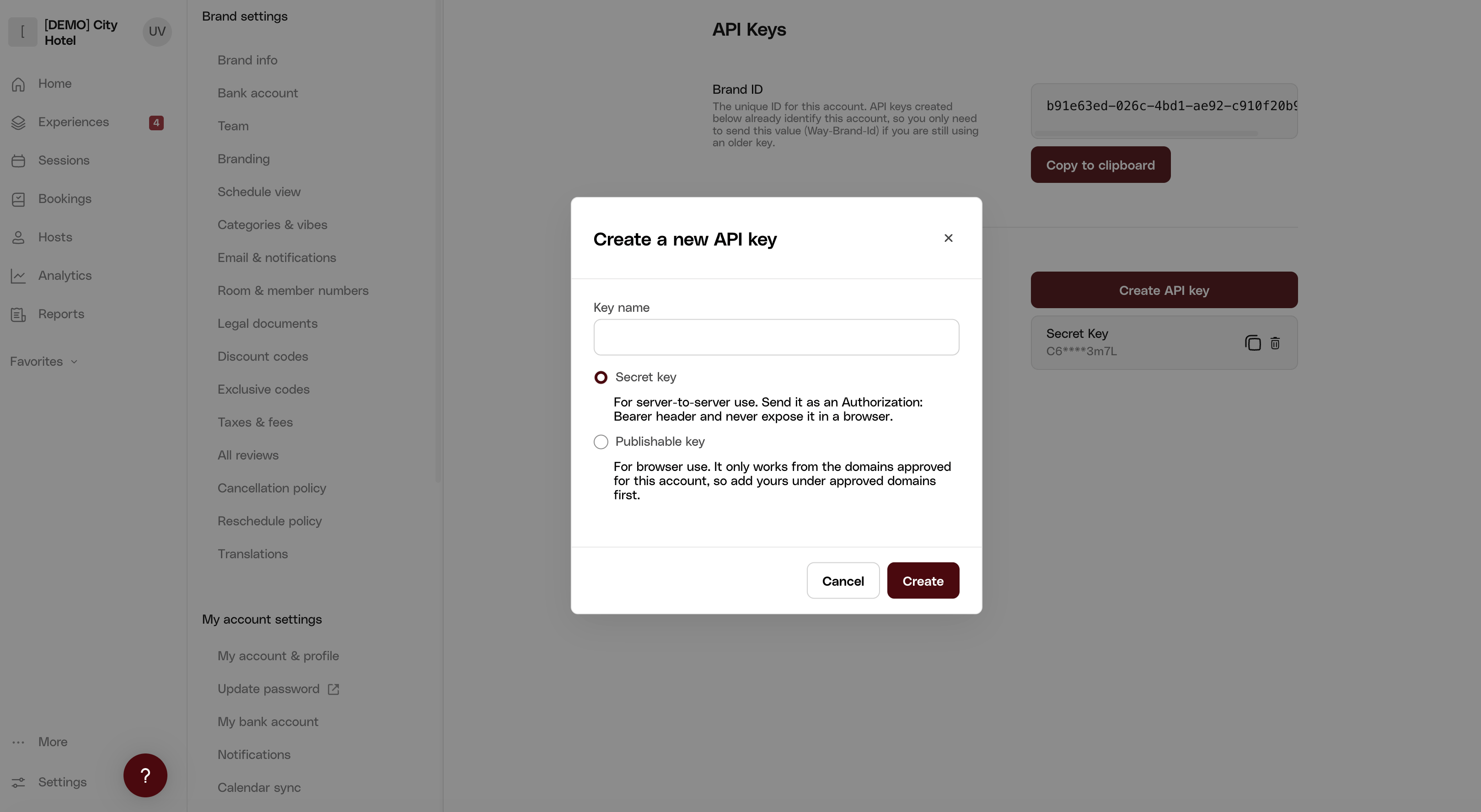
way_sk_live_bMQ8BHPjMQX_97rJKxAVjkg.Using an organization key instead
Using an organization key instead
If you manage multiple brands, one organization key (Organizations → API Keys in the dashboard) covers all of them. It authorizes the request but does not name a brand, so what you send depends on the endpoint: nothing extra when the brand or the resource is in the URL path, and a
Way-Brand-Id header when it is not. The next step’s endpoint, Get all listings, is one of those: with an organization key it needs the header. See Authentication for the full table.Using an older Way-Secret-Key credential
Using an older Way-Secret-Key credential
Keys issued before the
way_ format are sent as Way-Brand-Id + Way-Secret-Key headers and keep working. See Legacy authentication.2
Fetch your listings
Every request is authenticated with a single header: A successful response contains your brand’s published listings:These are the listings your integration can display and take bookings for.
Authorization: Bearer <your API key>.Try it in your browser
“Listings” are your experiences, packaged for display. A listing is how an experience appears on the storefront - title, photos, price - while the experience behind it (sessions, capacity, pricing) is the item actually being booked, referenced by
experienceId. This endpoint returns the display catalog; Get experiences returns the underlying records. See Introduction.3
The same call in JavaScript
Troubleshooting
403 Forbidden
403 Forbidden
API access isn’t enabled for your brand or organization (contact your Way representative) - or the key doesn’t cover what you addressed: a brand key used against another brand’s URL, an organization key scoped to a brand outside that organization, or a publishable key used from a domain that isn’t approved.
Empty items array
Empty items array
Your brand has no published listings. Publish at least one listing in the dashboard, or query staging where your test data lives.