

1
Open the webhooks section
In the Way dashboard, go to Settings → Developers → Webhooks.
2
Add a webhook
Click Add webhook and fill in: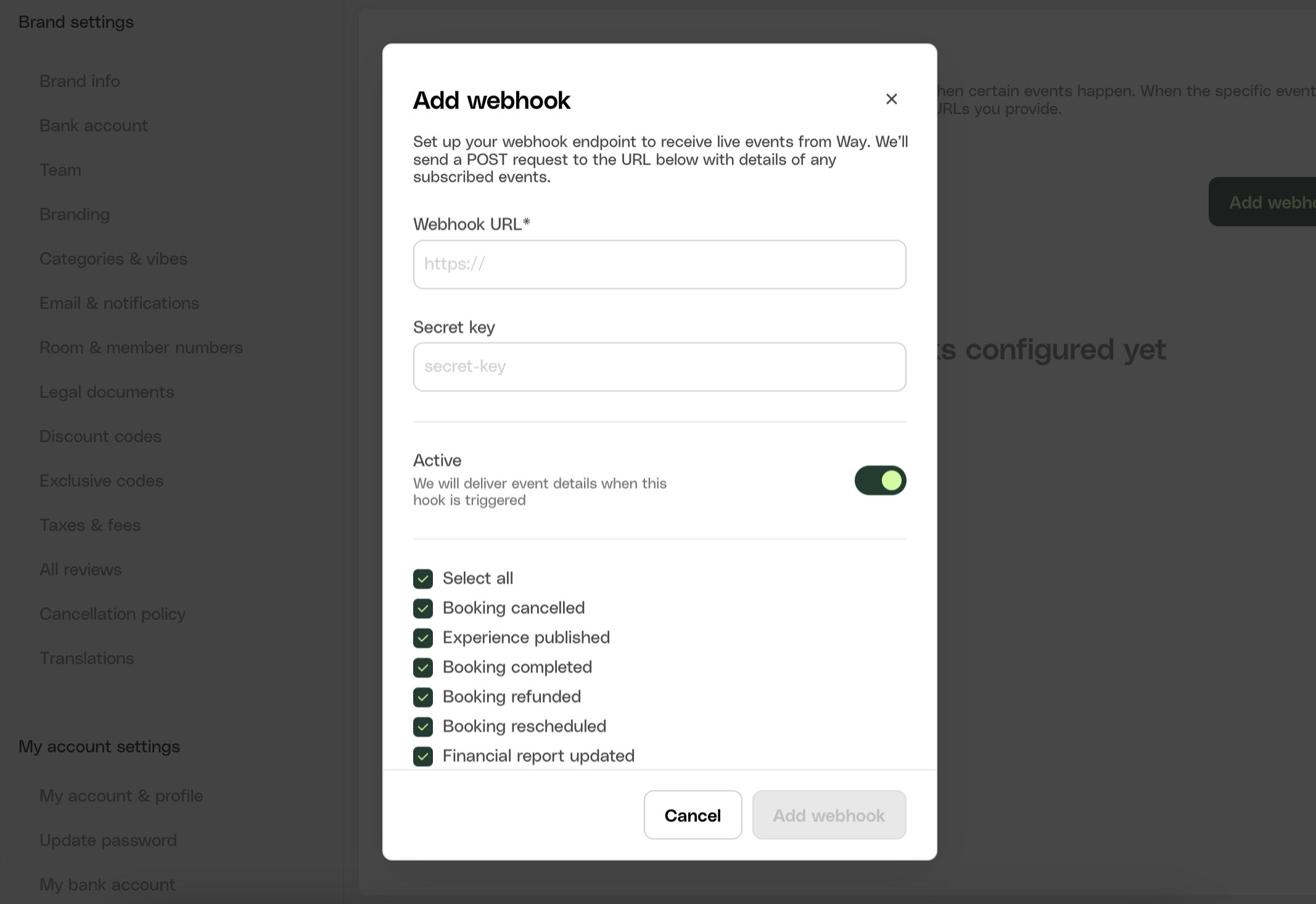
- URL - a publicly reachable HTTPS endpoint that accepts
POSTrequests with a JSON body. - Secret (recommended) - any string you generate. Way uses it to sign every delivery with the
X-Way-Signatureheader so you can verify authenticity. Store it alongside your other credentials. - Events - select which events this webhook should receive.
3
Verify it's receiving
Trigger a subscribed event (on staging, make a test booking - see Testing) and check your endpoint received it. The dashboard’s webhook logs show every delivery attempt with status and payload.
Editing and disabling
Each webhook can be edited (URL, secret, event selection) or disabled from the same dashboard section. You can register multiple webhooks - for example, separate endpoints for booking events and financial reports.Requirements for your endpoint
- Respond with a
2xxstatus within 10 seconds - do heavy processing asynchronously after acknowledging. - Expect retries: the same event can be delivered more than once. Deduplicate on business keys (for example
bookingId+ event type) - see Delivery and retries.