

Auto Translations
.png?fit=max&auto=format&n=mdbajd0K9gGzfVTl&q=85&s=84504d817fe35defa3cdcb2160da3d78)
- Your manual translations are safe. Any field you’ve translated yourself will never be overwritten by AI.
- Re-translate anytime. Already have translations? Click the button again after making edits and only the content that changed will be updated.
- Works across experiences, collections, and events.
All-In Pricing
Mandatory fees can now be rolled into the price guests see while browsing, not just revealed at checkout. On any tax or fee, select “Show in Advertised Price” and the amount is added to the first price the guest sees. The fee still appears in the checkout breakdown so guests can see what they’re paying for.This keeps partners compliant with the growing set of all-in pricing laws now in effect or coming live: California (SB 478), Colorado (January 2026), Minnesota, Virginia, Massachusetts, and Connecticut (July 2026), plus Canada’s drip-pricing rules under the federal Competition Act and Quebec’s Consumer Protection Act.Expanding the Partner Exchange
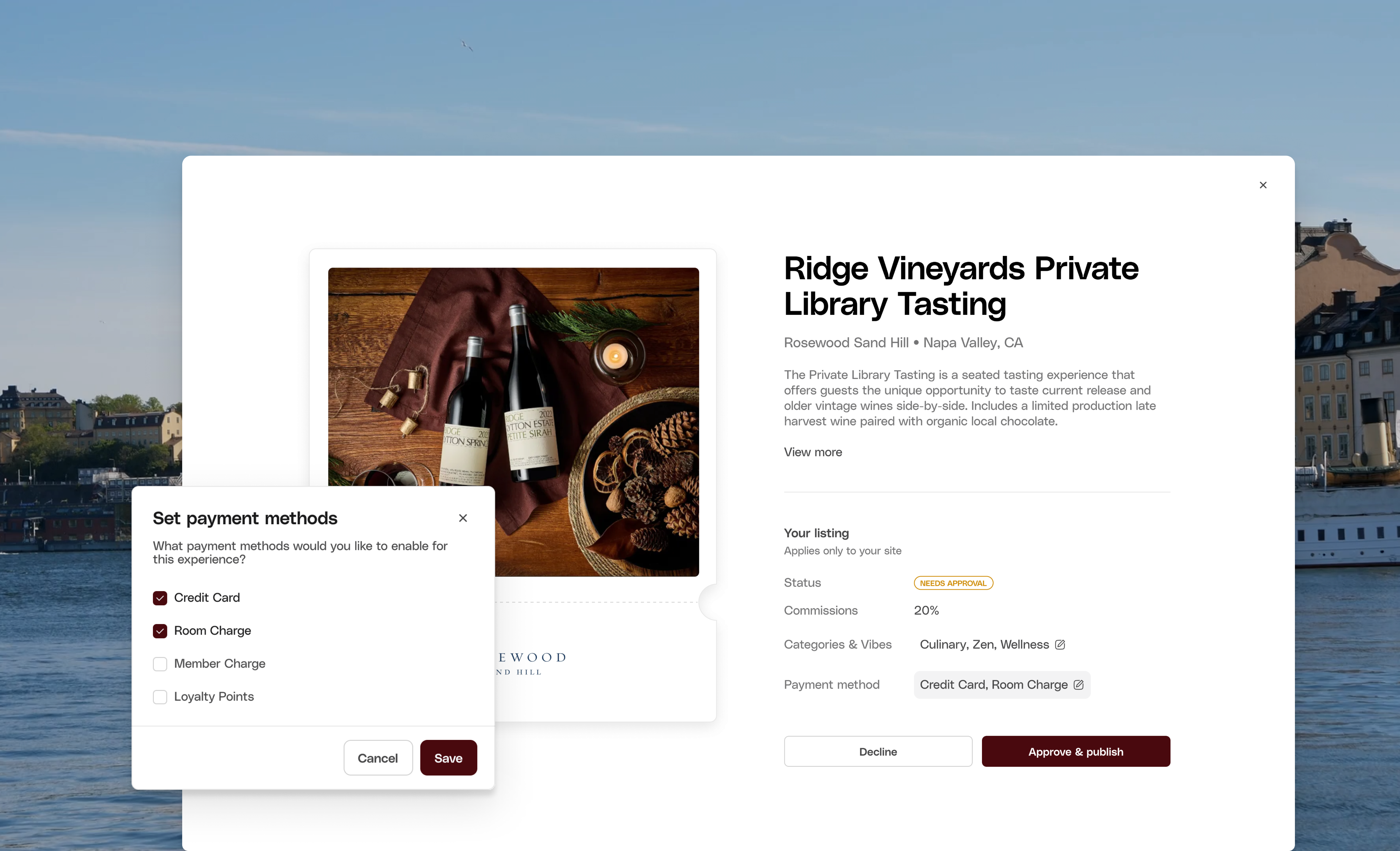
Partner Payment Methods & Categories / Vibes
Partners can now associate the experiences they are promoting with their own set of categories / vibes and payment methods. This is crucial for Base partners submitting to Core partners to still leverage room charge payments and ensure a smooth guest experience.Partner Bookings Tab
We’ve added a new Bookings tab to the Partner Exchange product, giving partners clear visibility into the bookings associated with their exchange relationships. This provides valuable insight into which experiences are selling and which partners are driving sales of your experiences.Promoted Listing Sessions Visible
Previously, promoter brands could not view or access sessions for promoted listings they had approved, preventing them from effectively booking and managing their guests for these experiences. We now return all sessions for promoted experiences in the dashboard, allowing hotels to view every session they’re offering to their guests on their site.Note: Promoter brands still cannot add availability on the provider brand’s behalf.Backend Booking for Promoted Listings
Backend booking is now supported for promoted listings. As we migrate all Hosts to Base Partners, ensuring our hotels can continue to leverage backend booking for these experiences is critical to a smooth transition.Saved Views & Persistent Navigation State
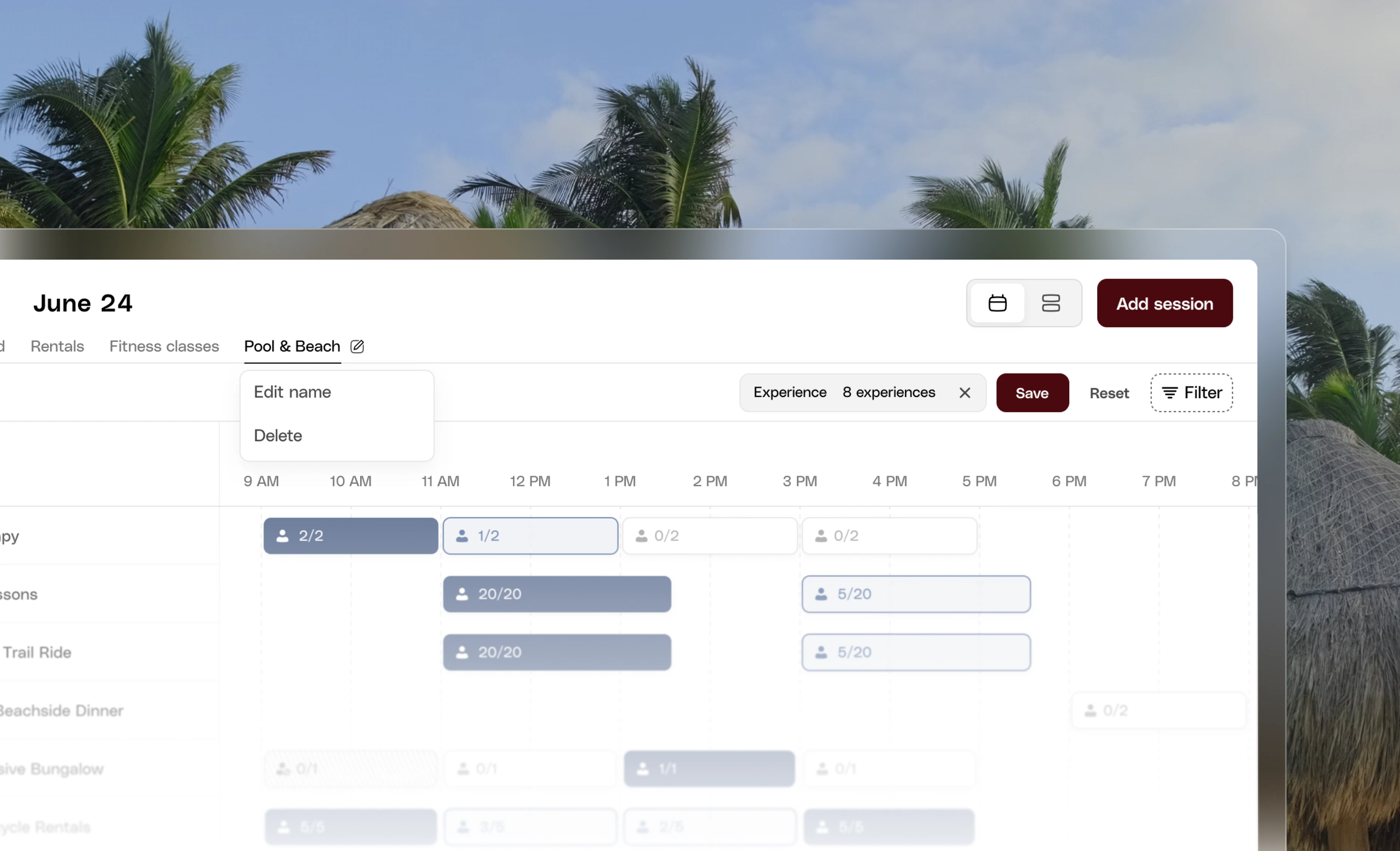
- Pool & Beach Sessions
- F&B Sessions
- Wellness Sessions
Blackout Dates for Discount Codes
Discount codes now support blackout dates, giving teams more control over when promotions can be usedYou can now specify experience dates where a discount code should not apply. If a guest attempts to use the code for a session occurring on a blackout date, the discount will automatically be blocked.Example:If July 4 is added as a blackout date, the discount code cannot be applied to any sessions taking place on July 4.This makes it easier to protect high-demand dates (holidays, special events, peak periods) while still offering discounts for other times.
Financial Report Filtering & Payout Downloads
We’ve added new tools to make financial reconciliation faster and easier for accounting teams.New “Date Deposited” FilterThe Financial Report now includes a Date Deposited filter, allowing you to quickly narrow transactions by when funds actually landed in your account. This data was already available in the report — it’s now directly filterable to make tracking deposits much simpler.Download Payout Transactions
You can now download all transactions associated with a specific payout directly from the Financial page. A new download button on the Payout Sheet exports the transactions as a CSV, eliminating the need to pull the entire Financial Report when reconciling deposits.This update addresses a common request from finance and accounting teams who need a faster way to match payouts with their underlying transactions.
Mews PMS Integration

- Reservation validation during checkout
- Guest lookup through Backend Booking
- Posting charges directly to the guest’s folio
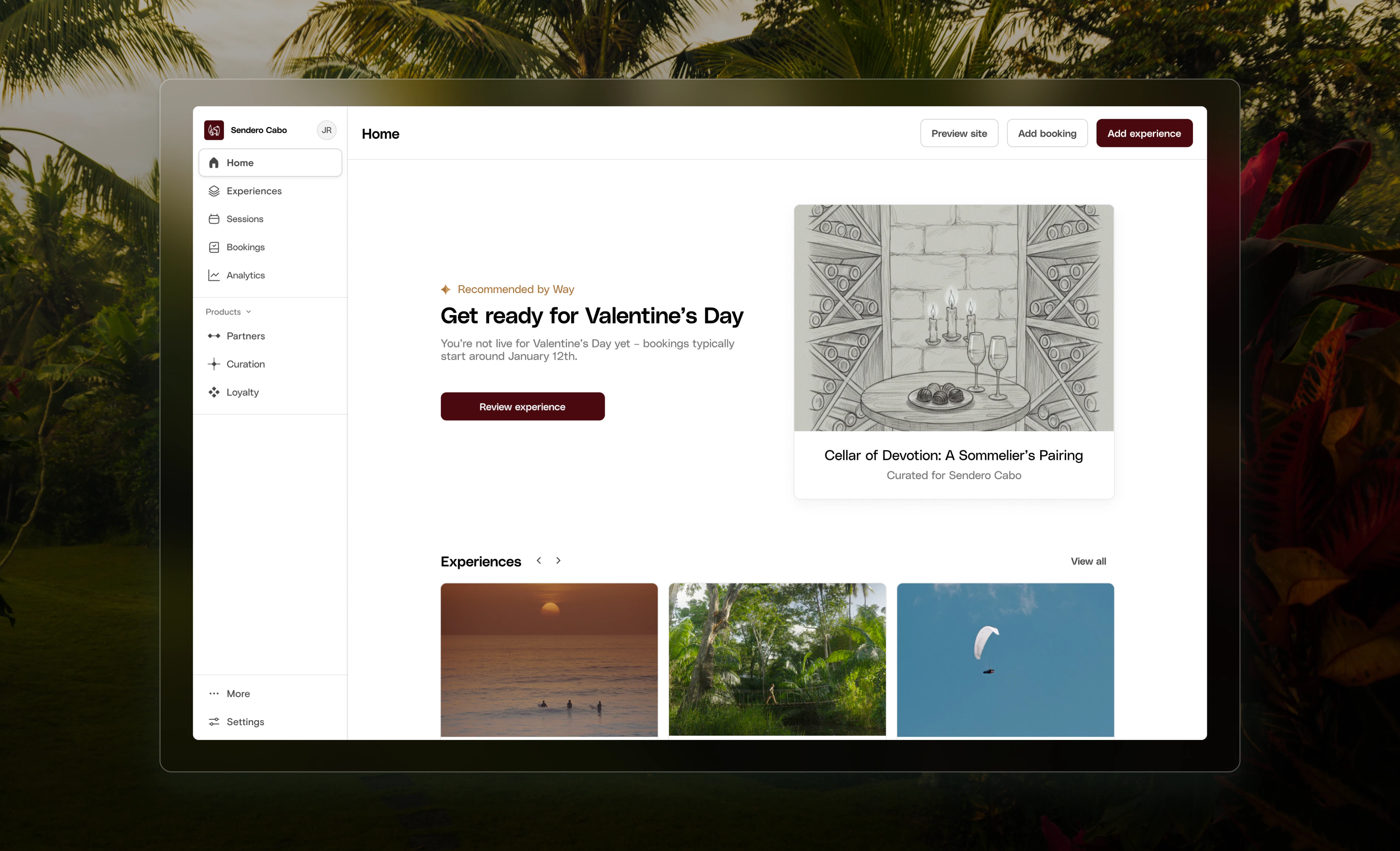
Holiday Opportunity Agent
Simplified Multi-Guest Booking
Updated the booking flow so that experiences with Custom Questions set to “Purchaser Only” no longer collect the full name of each attendee. Previously, guests booking for multiple people had to enter a name for every attendee — so a family of five meant five separate name entries. This removes that friction for multi-guest bookings.Full names are still collected for each attendee when Custom Questions is set to “Each Participant.”Other Improvements
Other Improvements
- Added missing translations to the checkout page
- Updated the phone input on the checkout page to default to the user’s country
- Add support for native
mailto:andtel:links within our rich text editor
Introducing Partner Exchange
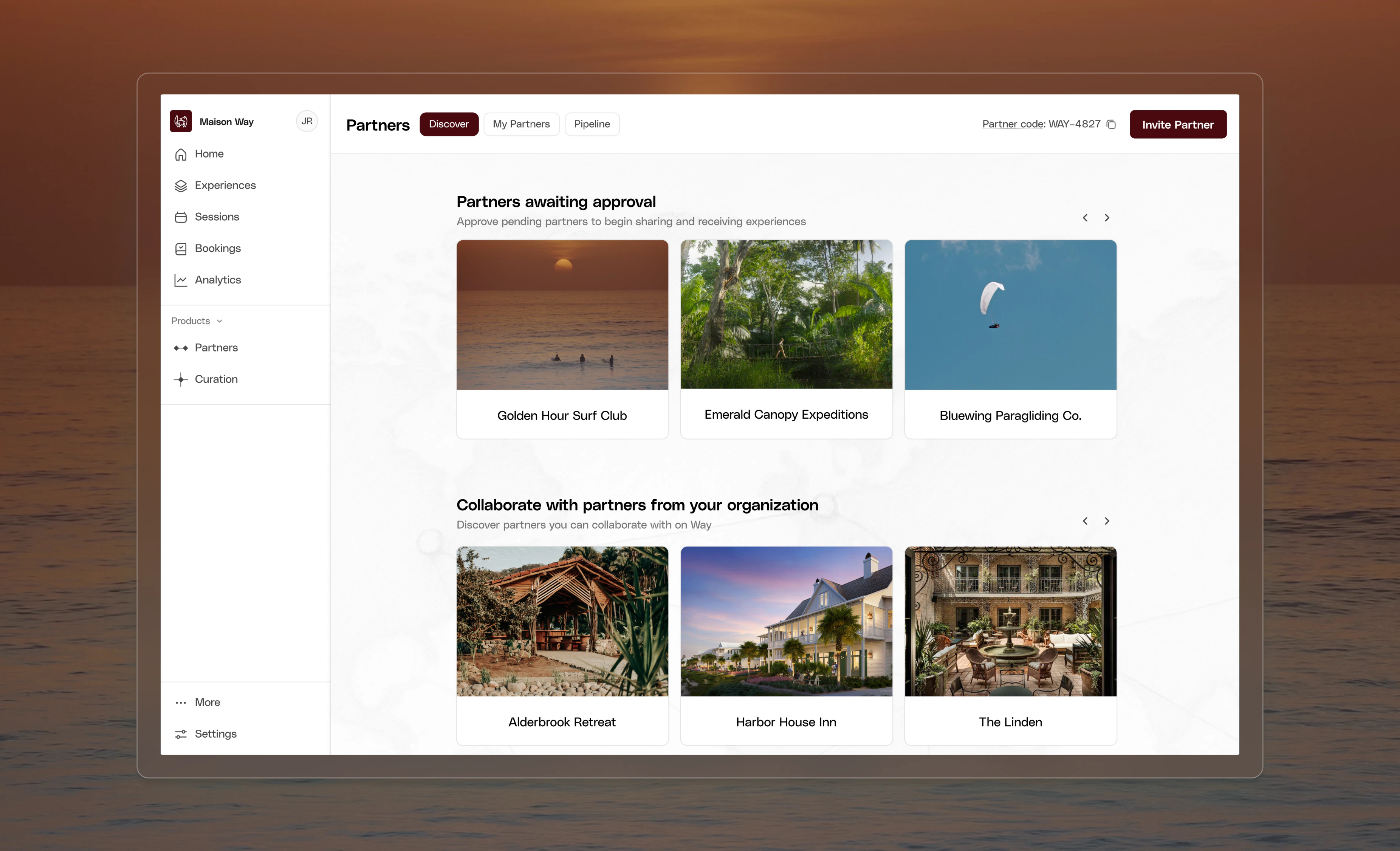
- Invite existing partners to connect through the Way dashboard
- Launch public Partner Sourcing Campaigns to attract new experience partners
- Distribute experiences across aligned brands with built-in approvals and shared booking visibility.
Introducing Curation Lab
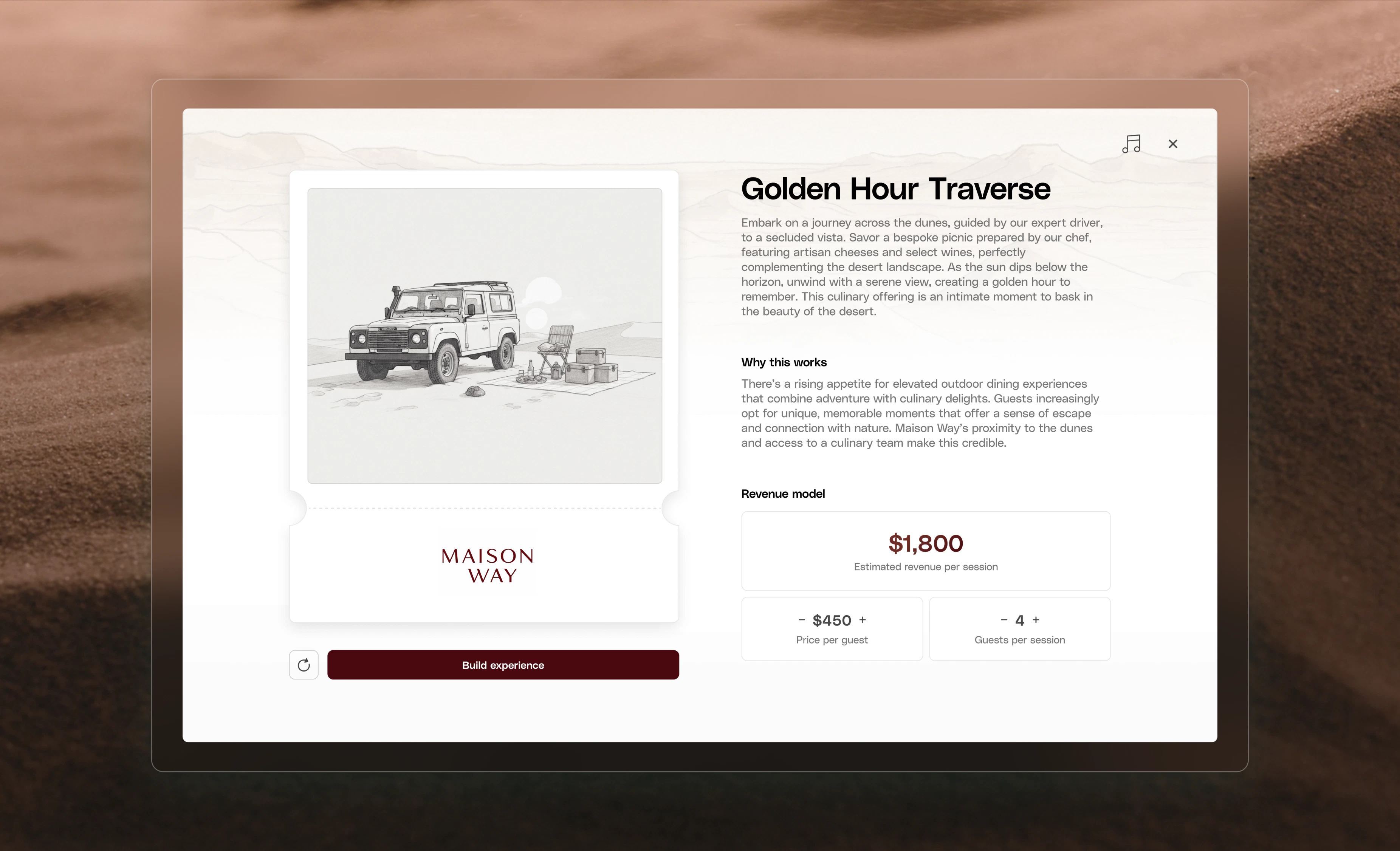
- Instantly generate seasonally relevant, audience-specific programming tailored to your brand voice and available resources
- Activate underutilized spaces with data-informed concepts designed to drive engagement and revenue
- Forecast potential revenue and operational requirements to build a stronger internal business case
Reschedule Across Groups & Tiers
Reschedule bookings **across **resource groups and to different price tiers and automatically upcharge / refund the difference. This is critical for operations team to easily manage bookings and handling price differences.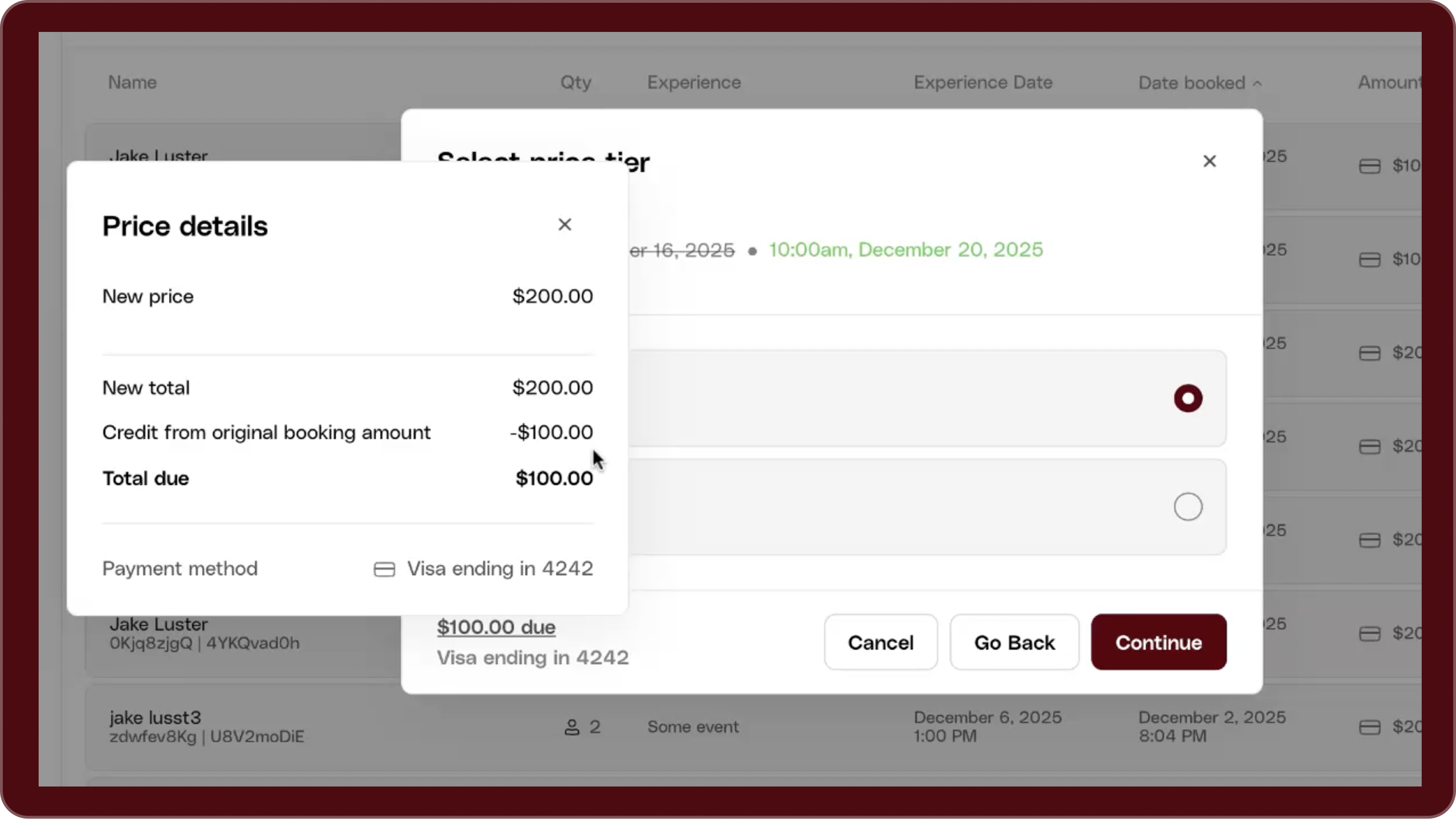
Compounding Taxes
Many regions require taxes to be calculated on a running total instead of only the base price. For example, in California, sales tax must be applied after gratuity. We have introduced an Advanced option within the Tax configuraiton to allow you to have greater control over your tax configuration.- Drag & drop to set the calculation order
- “Applies to” controls to select which taxes/fees should compound
- Live calculation preview to verify pricing before publishing
Enhanced Experience Permissions
Before today, brand-admin permissions for experience management were all-or-nothing: any team member who could create an experience could also publish it.Today, we introduced a new permission that separates content creation from content publishing, giving admins more control and reducing operational risk.Save & Schedule Reports
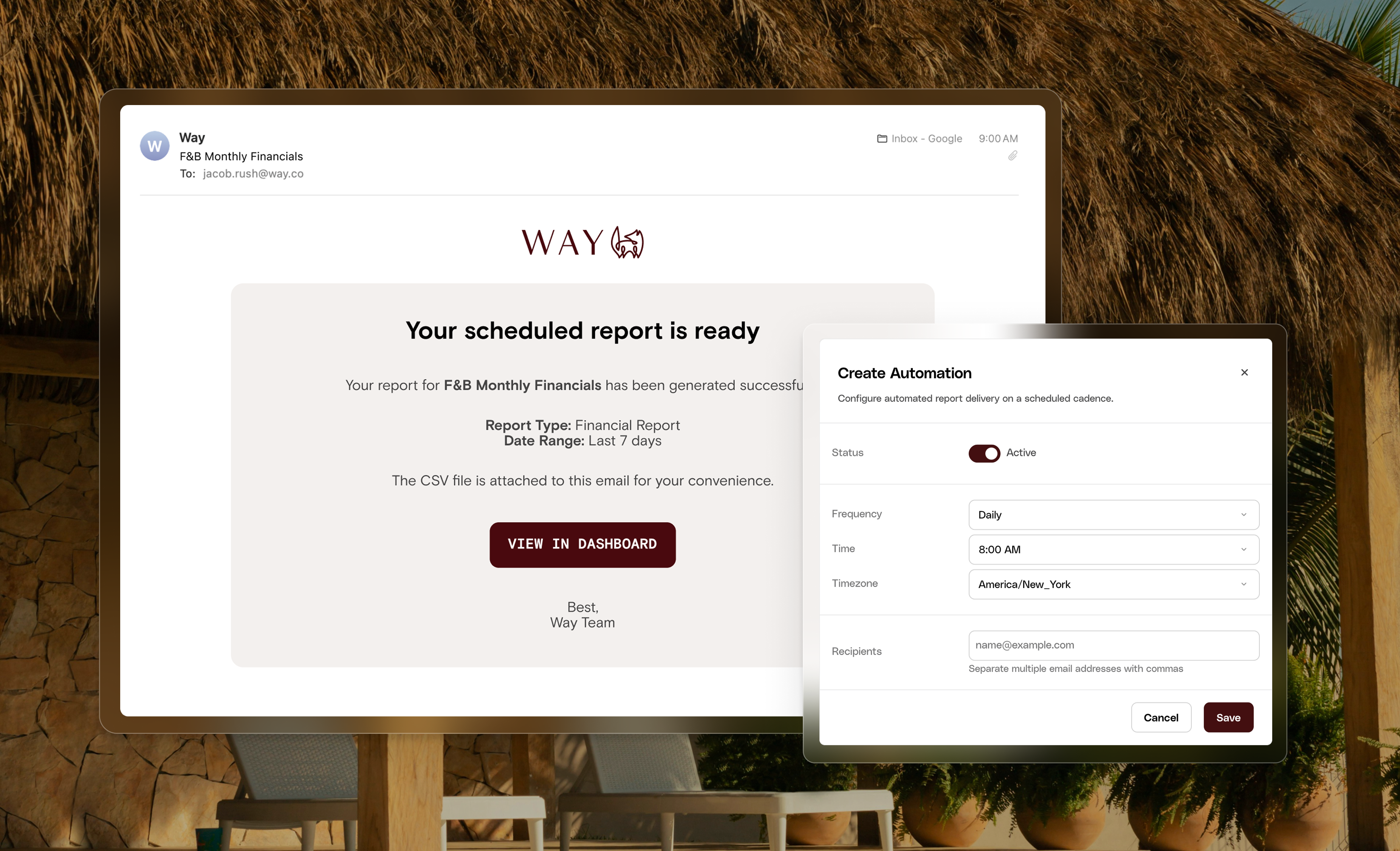
- Save Reporting Views: Create and save reporting views within the Reports tab for easy repeat access.
- Automate Report Delivery: Schedule automated emails including CSV files of saved reports by setting the frequency, date, time, and recipients.
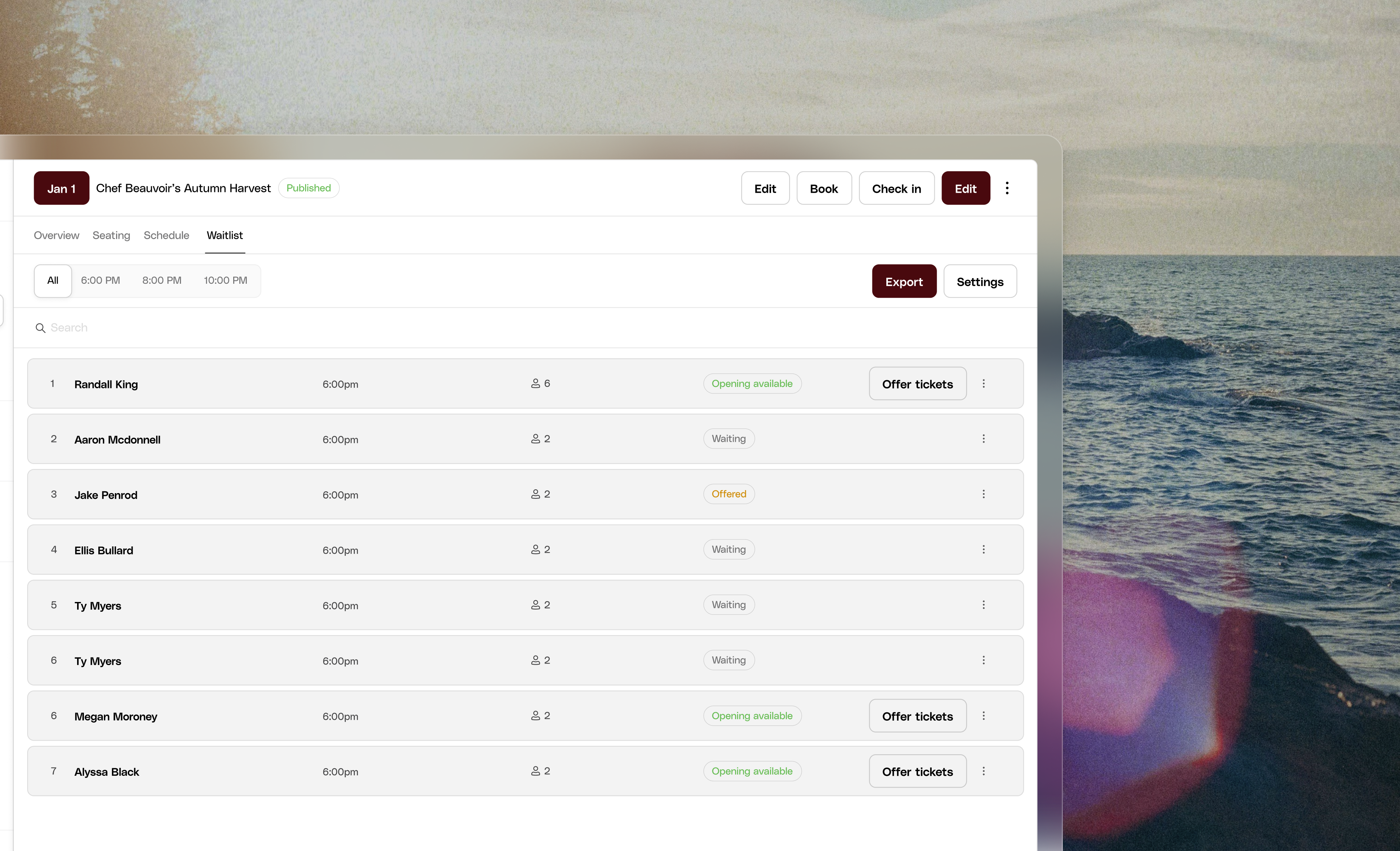
Export Waitlists
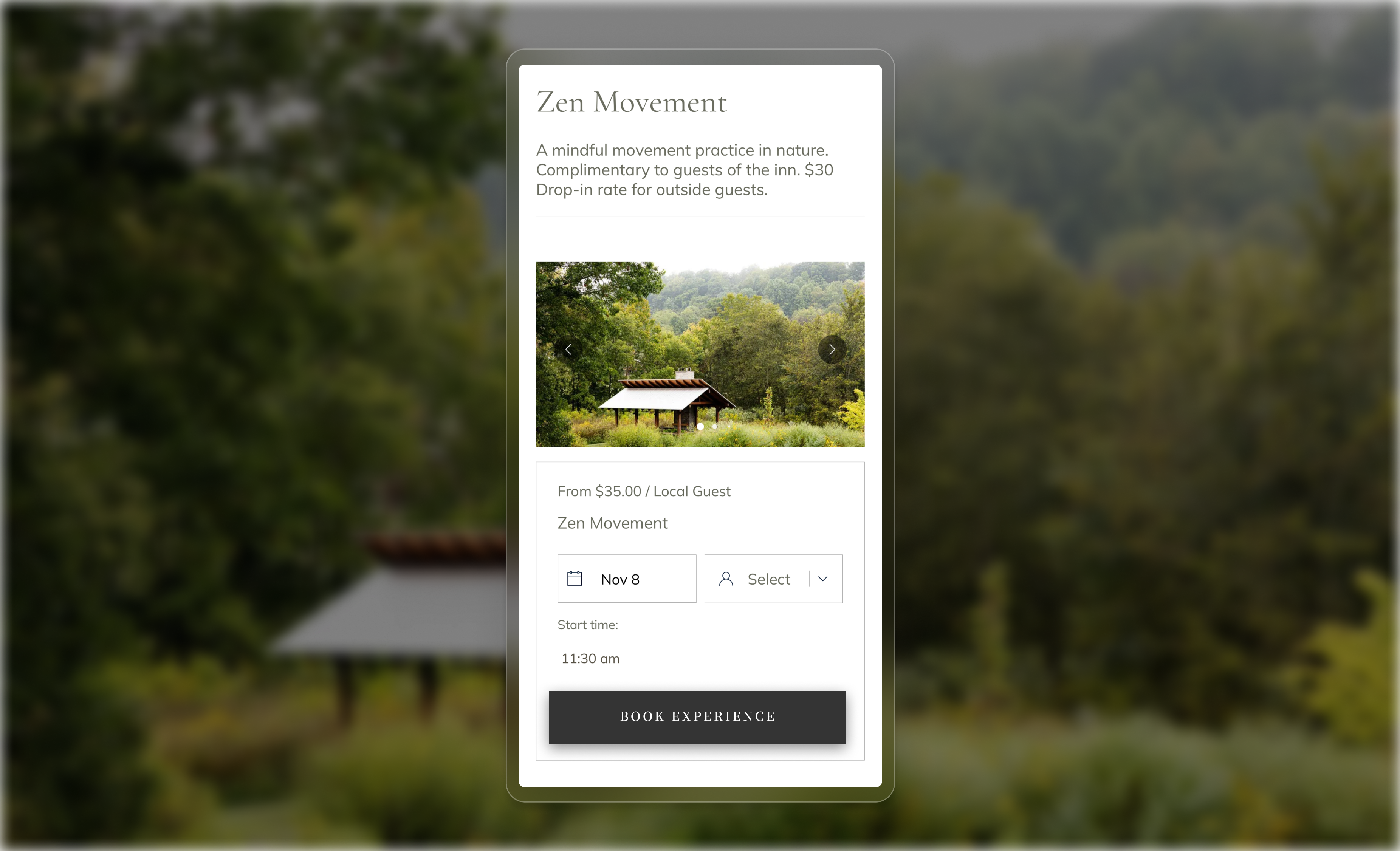
Improved Mobile Conversion
Availability Alerts

- No Availability List: View published experiences with no availability and quickly resolve them.
- Email alerts: If a published experience has no availability for 7 days, you will receive an email notification.
- Auto-unpublish: If the experience is still missing availability after 10 days, it is unpublished automatically.
Review Management
Admins now have more control over reviews displayed to guests. You can now reject or approve reviews directly from anywhere reviews appear.- Rejected reviews are hidden from the guest-facing booking script.
- The public star rating average updates automatically to reflect only approved reviews.
- Rejected reviews remain visible in your dashboard analytics for reporting and insights.
Other improvements
Other improvements
We have just released the ability to leverage the **Add to Booking **flow for all payment methods. This feature was previously only available for Credit Card but is now available for any of the payment methods we support, including PMS Integrations.
Quick Booking
We’ve overhauled one of the most critical workflows for operations: backend booking. Instead of being redirected away from their workflow, staff can now complete bookings directly in a streamlined modal overlay. This eliminates the friction that slowed down service, frustrated teams, and disrupted guest interactions.Modify Bookings
We’ve introduced a powerful new update that makes managing bookings even more flexible. Admins can now add extra participants or add-ons to an existing booking without needing to cancel and rebook. With saved customer credit cards, you can instantly process additional charges—whether it’s adding a third guest to a class, tacking on a cheese platter to a cabana reservation, or collecting a tip after the experience. All changes automatically update availability, reporting, and host commissions, and guests receive an email summary of their updated booking. This feature is currently available for future bookings paid by credit card, with support for additional payment methods coming soon.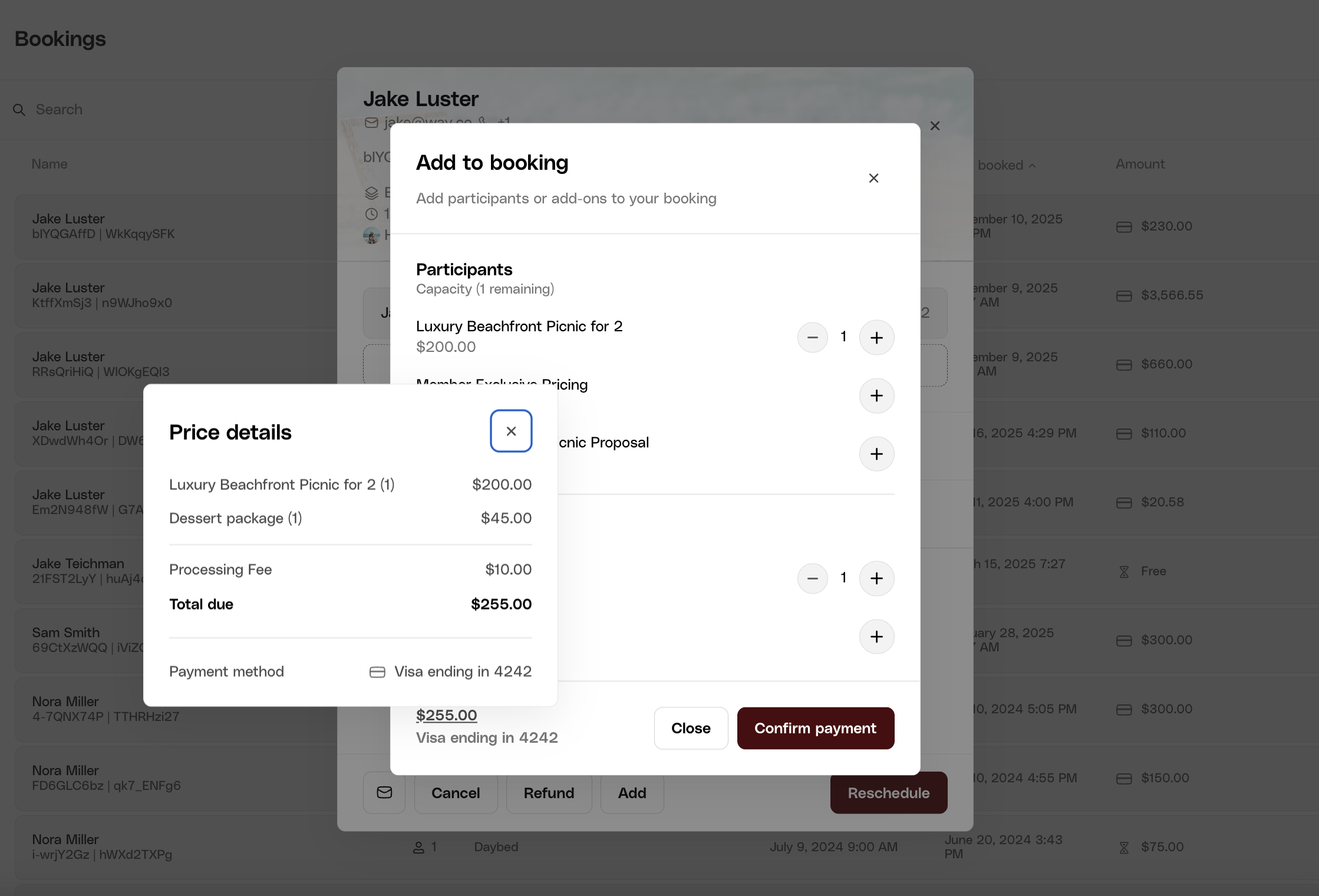
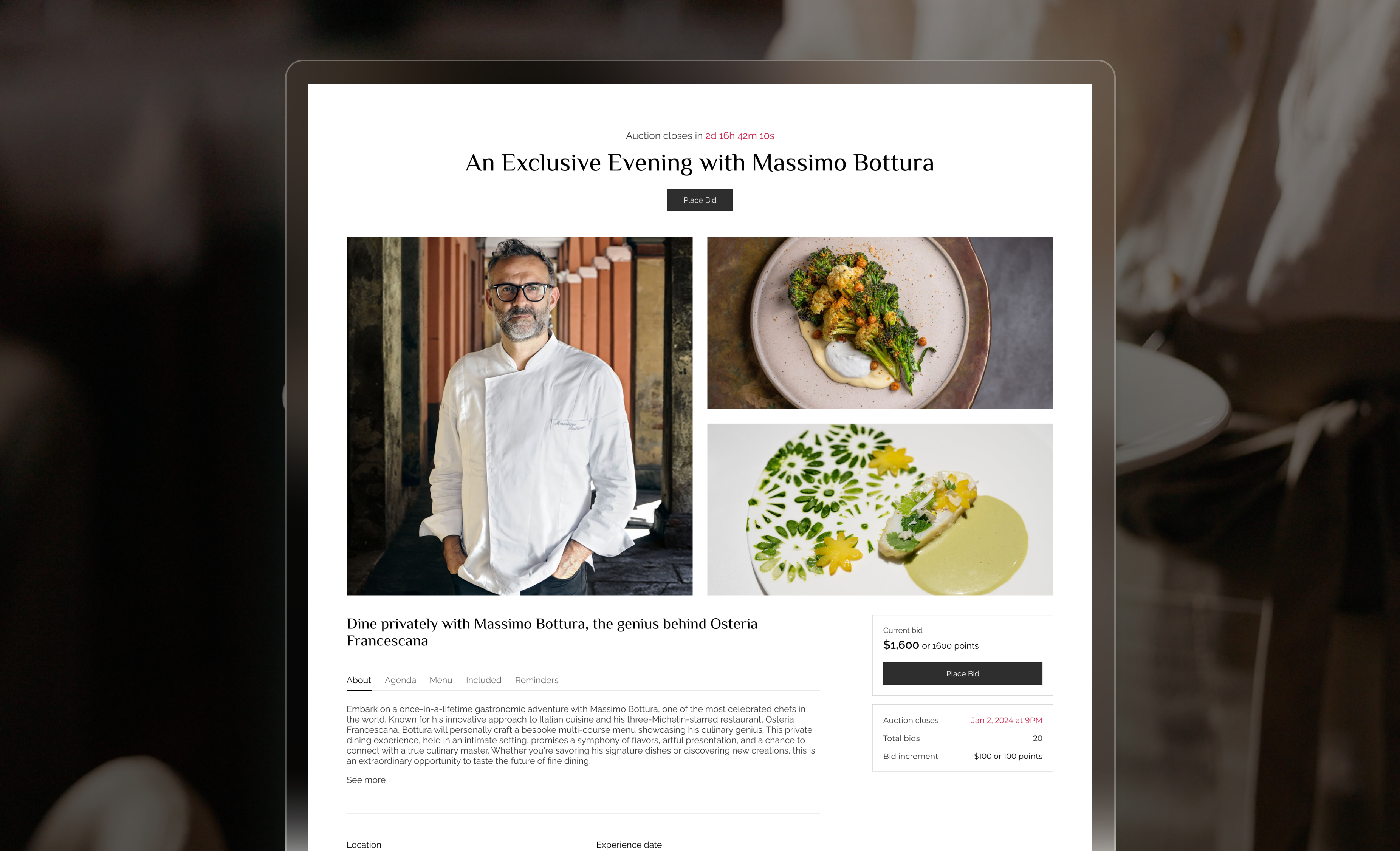
Auctions
Approved Domains
We’ve launched Approved Domains, a new security feature that gives organizations more control over who can access their dashboards. Admins can now define which email domains are allowed when inviting team members or organization admins. This ensures that only users with approved domains can join, while still allowing hosts to be invited freely regardless of their email address. With this added layer of protection, organizations can safeguard access to sensitive data while keeping the host onboarding process flexible and seamless.Route Taxes & Fees to Hosts
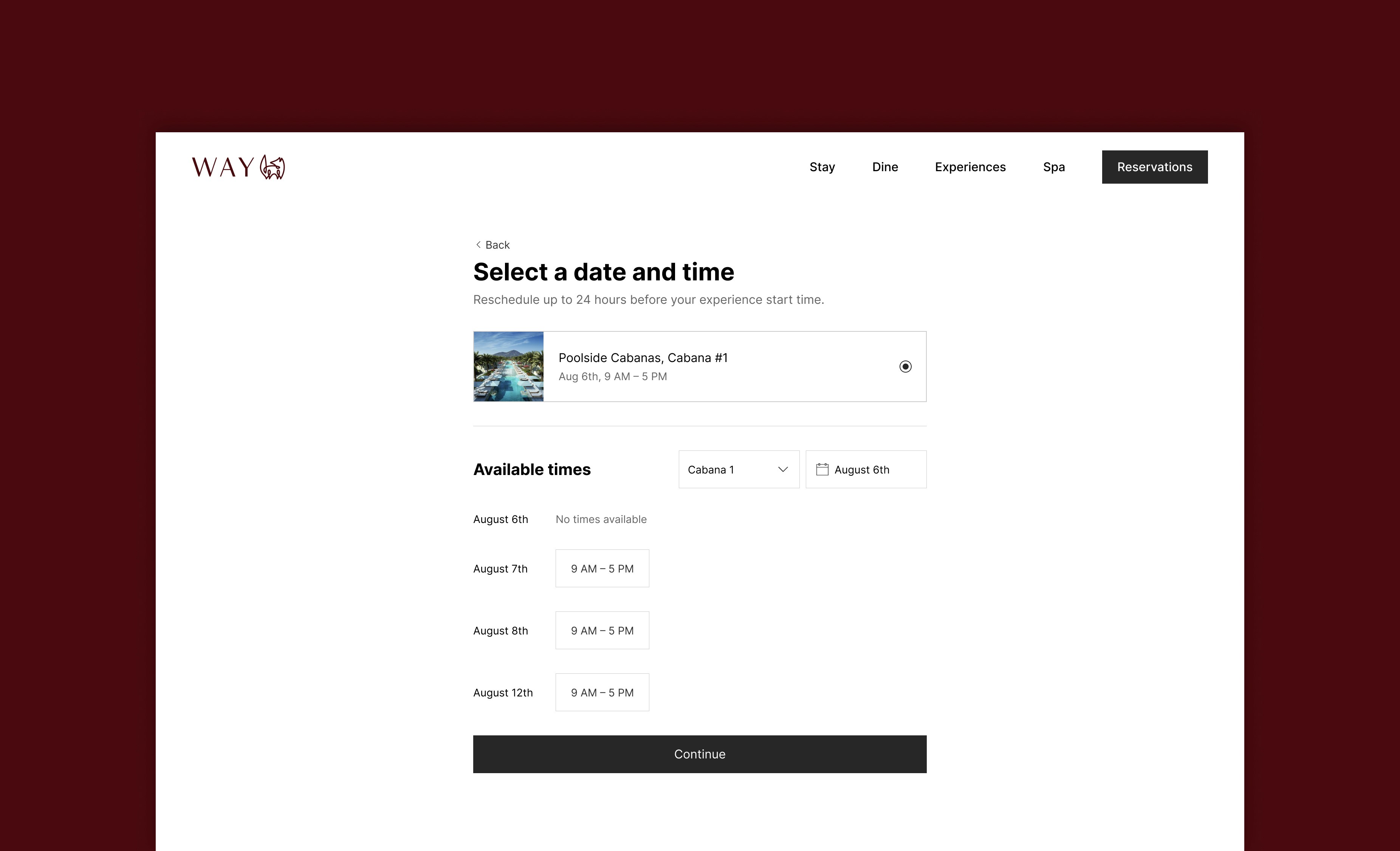
We’ve enhanced our tax and fee infrastructure to support more flexible payout configurations. Admins can now choose whether tax and fee revenue is routed to the Brand or the Host for remittance.Guest Reschedule
SSO
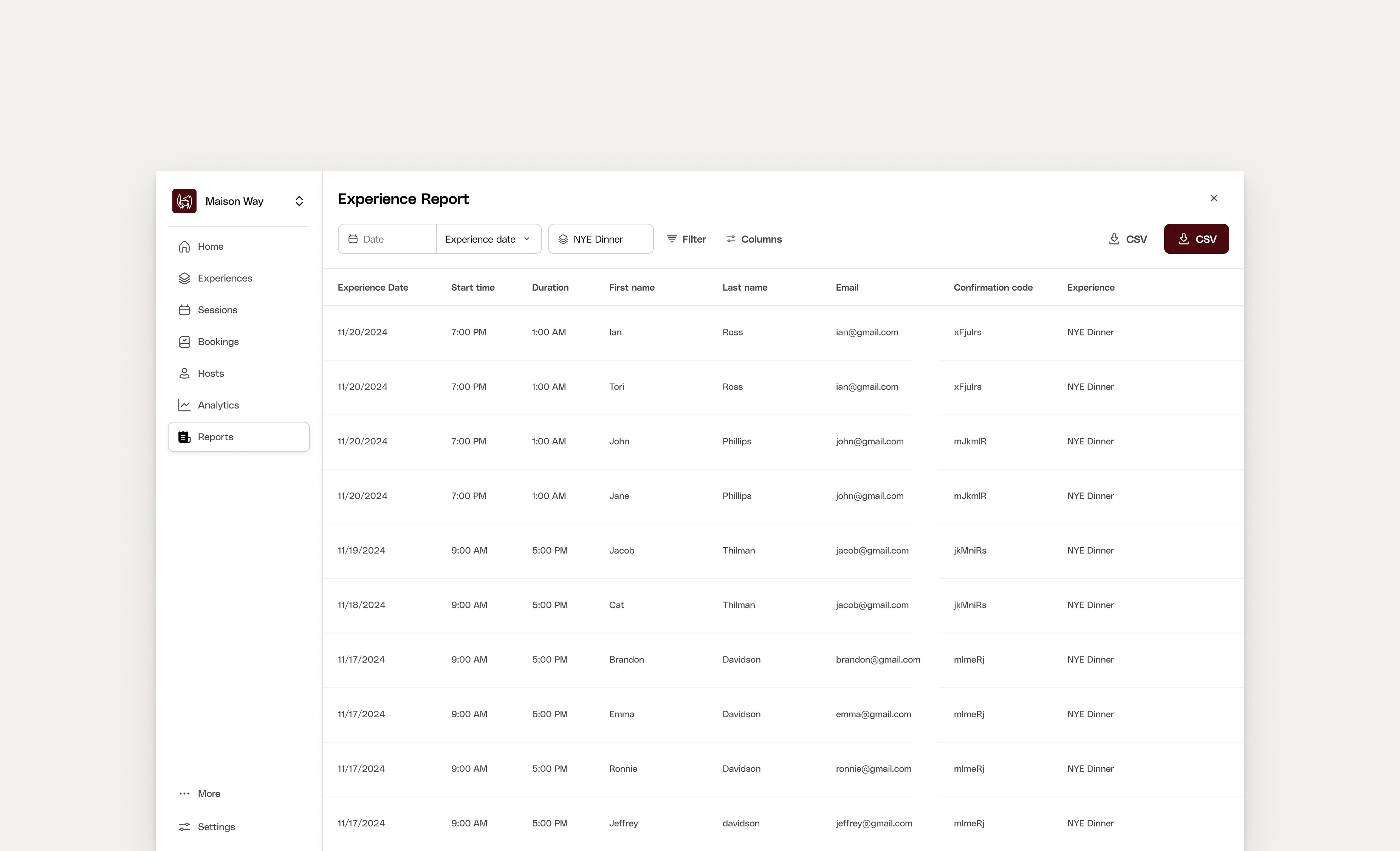
Reporting Enhancements: New Experience Report and Improved Financial & Guest Reports
Host Document Storage
Way now supports document uploads on host profiles—making it easier for hosts to store and share Certificates of Insurance, Host-Brand Agreements, and other key compliance documents directly in the dashboard. Hosts and brand admins can both upload, view, and manage documents, streamlining a previously manual process and reinforcing trust across partnerships.Favorites
Favorite listings for quick access via the left-hand navigation to enhance operational efficiency. Admins can manage their listings effortlessly, focusing on high-priority tasks and improving overall productivity.Organization Promoters
A tool to amplify experiential programming across a brand’s portfolioOnce enabled by organization admins within the dashboard, properties will have the capability within their experience builders to send experiences to other properties within their org or their brand’s homepage dashboard. The promoting dashboard will then approve these experiences to set them live on their page. This enables brands to gain more exposure for their experiential programming across all properties, and increase bookings for properties located in the same cities.Other Improvements
- Updated the Sort Experiences modal for an improved user experience making it much easier to re-order and position experiences.
Translations
