The Way API is designed following REST principles, ensuring a consistent and intuitive experience for developers. Each endpoint features predictable, resource-oriented URLs, and the API reliably returns JSON-encoded responses. We adhere to standard HTTP response codes, authentication mechanisms, and HTTP methods (verbs) for a seamless integration experience.

Base URL

Access the Way API via this base URL.
https://api.letsway.com

Authentication

Your Way API key should never be used client side or exposed to your end users.
There are two methods to authenticate with the Way API. Organization Level Authentication allows you to create and use a single API key to access the data across all of the dashboards within the Organization. Dashboard Level Authentication provides an API key and access at a specific dashboard level. View the details of each below.
FeatureOrganization LevelBrand Level
ScopeAll dashboards under orgSpecific brand/dashboard
Headers RequiredWay-Organization-Id, Way-Secret-KeyWay-Brand-Id, Way-Secret-Key
Example Request URL/v1/organizations/{organizationId}/brands/v1/brands/{brandId}/settings
Use CaseManaging multiple dashboardsRestricting access to one brand
If you are part of an Organization, you can create and use a single Secret Key that can be used to authenticate your API requests for all brands (dashboards) within the organization.To authenticate your API requests when using an Organization Secret Key, include these headers:
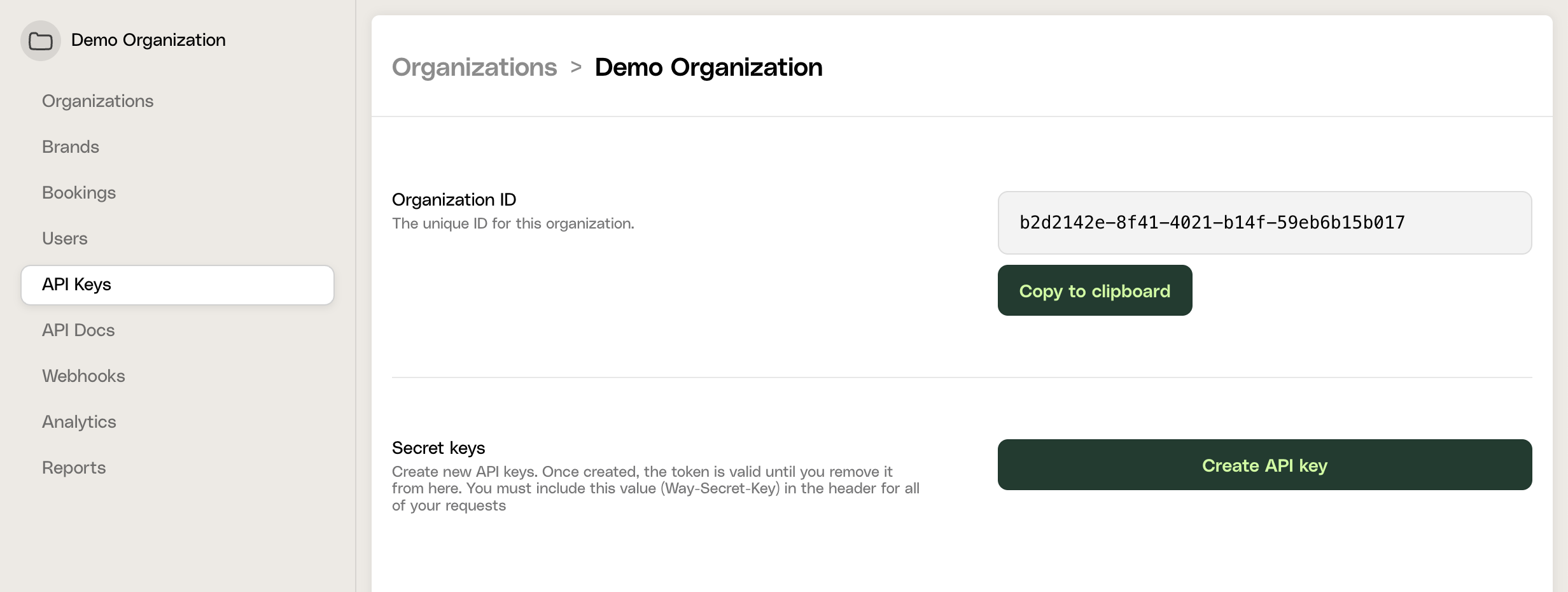
  • Way-Organization-Id - Your unique Organization ID
  • Way-Secret-Key - Your organization secret API access key
Find your credentials in the Way dashboard under Organizations -> API Keys.
images/Screenshot2025-03-16at9.25.25PM.png
You can test your API key by making a GET request to
https://api.letsway.com/v1/organizations/{organizationId}/brands
If successful, you will receive a response that looks like the following:
{
  "items": [
      {
        "id": "b91e63ed-026c-4bd1-ae92-c910f20b9aa0",
        "name": "[DEMO] City Hotel",
        "tier": "growth",
        "countryCode": "US",
        "currency": "USD",
        "creditCardFeePercentage": 2.9,
        "isTestBrand": false,
        "isCuratedBrand": false,
        "churnedAt": null,
        "organizationId": "94a6fbf3-586f-42fb-b52a-90fa962bc4d7",
        "products": [
            "host",
            "activate",
            "reserve"
        ],
        "emailAddress": "waysandbox+admin@yopmail.com",
        "csmUser": null,
        "logoUri": null,
        "deletedAt": null
    }
  ]
}
Here’s an example Curl request (replace with your own Organization Id and API key):
curl \
     -X GET \
     -H "Way-Organization-Id: [Your Organization ID]" \
     -H "Way-Secret-Key: [Your Secret Key]" \
     -H "Content-Type: application/json" \
     https://api.letsway.com/v1/organizations/[Your Organization ID]/brands
You can authenticate using a specific Brand-Id and API key for each specific brand (dashboard) you have access to. This will restrict the API responses to only fetch the data for that specific brand (dashboard).To authenticate your API requests when using a Brand Secret Key, include these headers:
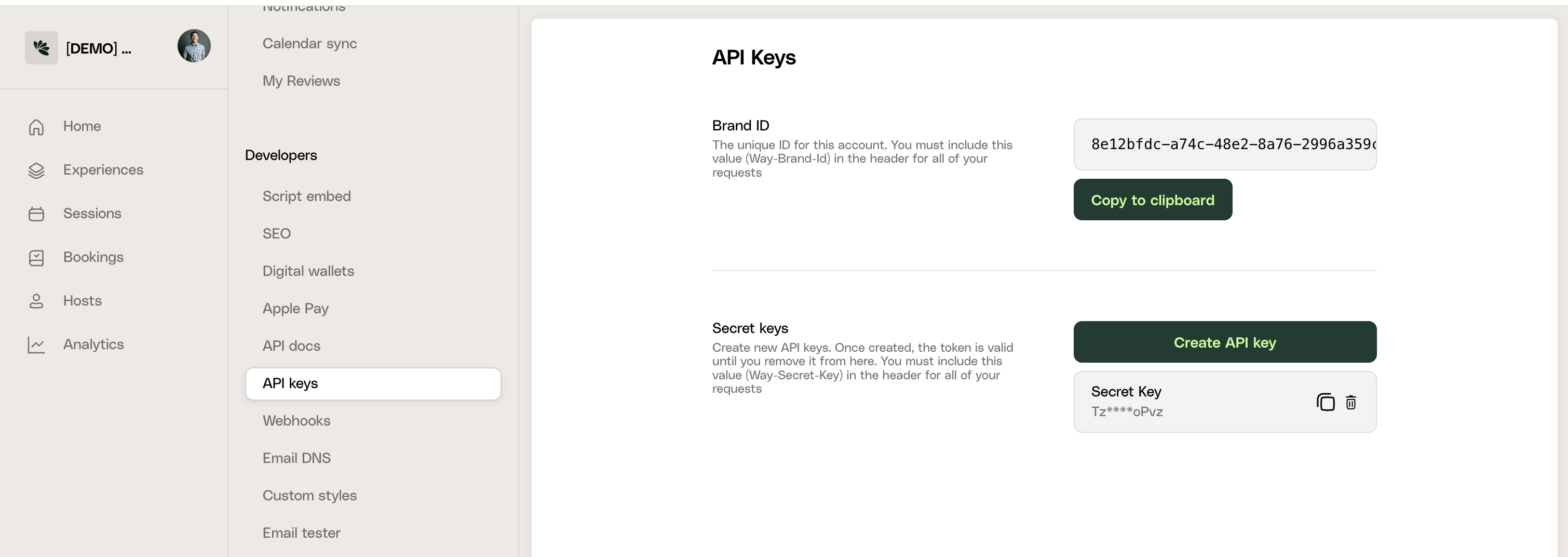
  • Way-Brand-Id - Your unique Brand ID
  • Way-Secret-Key - Your brand secret API access key
Find your credentials in the Way dashboard under Settings -> Developers -> API Keys.
images/Screenshot2025-03-16at10.01.49PM.png
You can test your API key by making a GET request to
https://api.letsway.com/v1/brands/{brandId}/settings
If successful, you will receive a response that looks like the following:
{
  "brandEmail": "<string>",
  "paymentPlatform": "stripe-us",
  "templateElement": {
    "hero": {
      "desktopMedia": {
        "id": "<string>",
        "original": "<string>"
      },
      "mobileMedia": {
        "id": "<string>",
        "original": "<string>"
      }
    }
  },
  "features": {
    "features": {
      "someFeature": true
    }
  },
  "promotion": {
    "exclusiveTag": "<string>"
  },
  "customStyle": "<string>",
  "shouldValidateComplimentaryBooking": {
    "roomCharge": true,
    "memberCharge": true
  },
  "currency": "<string>",
  "wayVersion": "V1",
  "products": [
    "activate"
  ],
  "paymentMethods": {
    "card": true,
    "apple_pay": true,
    "google_pay": true,
    "amazon_pay": true,
    "cash_app_pay": true,
    "link": true,
    "ali_pay": true,
    "wechat_pay": true
  },
  "cancellationPolicyId": "<string>"
}
Here’s an example Curl request (replace with your own Brand Id and API key):
curl \
     -X GET \
     -H "Way-Brand-Id: [Your Brand ID]" \
     -H "Way-Secret-Key: [Your Secret Key]" \
     -H "Content-Type: application/json" \
     https://api.letsway.com/v1/brands/[Your Brand ID]/settings

Response Codes

  • 200 OK - Request successful.
  • 201 Created - Resource (like login, signup, booking) created successfully.
  • 422 Unprocessable Entity - Correct content type and syntax, but instructions couldn’t be processed.
  • 404 Not Found - Requested resource does not exist.
  • 401 Unauthorized - No valid API key provided.
  • 403 Forbidden - API key lacks necessary permissions.
  • 500, 502, 503, 504 - Server errors on Way’s end (rare occurrences).